Wedding Website: how to create your own
You are getting married, and that means questions are coming. When exactly is it? Where do we park? Is there a dress code? Can we bring someone? Is there somewhere to stay? Those questions come via WhatsApp, phone calls, and family gatherings, and they come up again and again.
A wedding website solves that. It is a central place where guests find everything they need to know about your wedding. No paper insert that gets lost, no giving the same answer ten times. One link, all the information. And honestly: it is also just fun to make. Your story, your style, your day, on a page that is entirely yours.
In this article, you will read what belongs on a good wedding website, what options you have to build one, and how to cleverly combine it with your guest list and RSVP.
What to put on a wedding website
A wedding website does not need to be a novel. It is about the information guests need, plus a personal touch. These are the sections that appear on most wedding websites:
Your story
How did you meet? When did you know this was it? Guests, especially those who do not know the full story, love reading this. Keep it short and honest. Two or three paragraphs are enough. Add a beautiful photo and it is complete.
Date and location(s)
It sounds obvious, but make it concrete. Not just the name of the venue, but also the address, a link to Google Maps, and a short description of how to get there. Have multiple locations (ceremony, dinner, party)? List them all on the wedding website, with times.
Day schedule
Guests want to know what to expect. What time does the ceremony start? When is dinner? Is there a break in between? A general timeline on your wedding website prevents guests from arriving late or not knowing what happens when.
Practical information
This is the section that prevents the most questions. Think about:
- Parking at the venue(s)
- Dress code (formal, semi-formal, casual)
- Accommodation options nearby
- Transport (is there a shuttle, public transport connection?)
- Whether children are welcome or not
- How to submit dietary requirements
RSVP
The most important function of your wedding website: letting guests confirm whether they are coming. A digital RSVP saves you a lot of hassle with counting cards and chasing people. Guests fill it in whenever it suits them, and you immediately see who is coming and who is not. Read more about managing this in our article on digital wedding planning.
Gift registry
Not everyone dares to ask, but guests appreciate knowing what you want. Put a link to your gift registry on the wedding website, or indicate that you prefer a contribution to the honeymoon. Being clear about this prevents five identical vases.
Photo gallery
This one can start empty. Before the wedding you might add engagement photos, and after the wedding it becomes the place where guests find the best pictures. A wedding website that lives on after the day is a lovely keepsake.
Building a wedding website: your options
There are roughly three ways to create a wedding website. Each option has pros and cons. Which one fits best depends on how much time you want to invest, how important privacy is, and whether you want the website connected to other wedding tasks.
Build it yourself
With WordPress, Squarespace, or another website builder, you have full control over how your wedding website looks. You choose your own theme, colours, and layout. The advantage: complete control. The disadvantage: it takes time, you need basic knowledge of how such a platform works, and you are responsible for maintenance, hosting, and updates. For those who are technically handy and like doing everything themselves, this can work well. For everyone else, it is often more work than expected.
Wedding platform
Platforms like The Knot and WeddingWire offer standard wedding websites, often for free. The advantage: you have a working site within an hour. The disadvantage: limited customization options, ads on your page, and your data is often shared with or sold to vendors. Your wedding website is not really yours, it belongs to the platform.
Folio
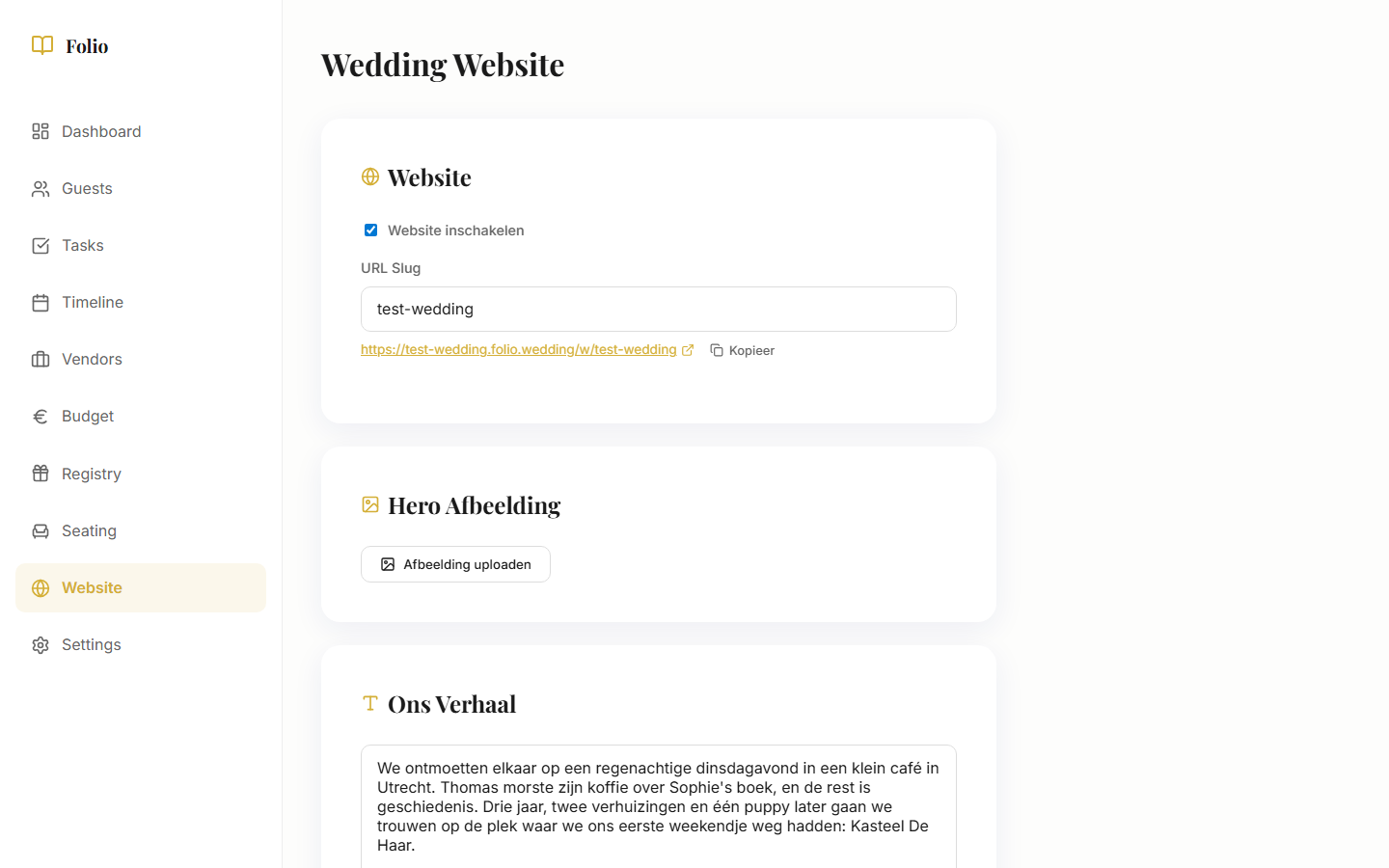
Folio offers a wedding website that is directly connected to your guest list, RSVP, and day schedule. What guests see on the website comes from the same data you use in your planning dashboard. No double work, no separate systems. There are no ads, your data is not sold, and the website automatically adapts to your wedding. All for €79, one-time. No subscription, no hidden costs.
Combining your wedding website with RSVP
Many couples build a wedding website on one platform and manage their RSVP on another. That works, but it means double entry: names in the guest list, the same names on the RSVP form, and then manually tracking who has and has not responded.
An integrated approach is smarter. When your wedding website and RSVP come from the same system, you only need to enter names once. Guests click the link, confirm attendance, and you immediately see the current count in your dashboard. No Excel lists, no manual tallying.
With Folio, it works exactly like that. The guest list, RSVP form, and wedding website are part of the same system. You add guests, they get a personal link, and everything is automatically connected. Read more about how Folio simplifies your wedding planning.
It saves time and prevents errors. No guests who confirmed but are not on the list, or vice versa. And you always have a current overview of who is coming, including dietary needs and plus-ones.
Tips for a great wedding website
A wedding website does not need to be complicated. But there are a few things that make the difference between a site guests enjoy visiting and one they quickly click away from.
Keep it simple
Guests visit your wedding website for practical information, not for a visual spectacle. Make sure the most important info (date, location, RSVP) is easy to find. Avoid too many animations, background music, or complicated navigation. Less is more.
Make sure it works on mobile
Most guests will open your wedding website on their phone. Always test how the site looks on a small screen. Buttons should be large enough to tap, text should be readable without zooming, and forms should be easy to fill in with a thumb.
Share the link via a QR code
Print a QR code on your invitation that links directly to the wedding website. Guests do not have to type a URL. A QR code is quick to generate (search for "QR code generator") and fits on any card. It is the easiest way to send guests to your site.
Update after the wedding
Your wedding website does not have to disappear after the day itself. After the wedding, add the best photos, write a short thank-you, and leave the site up as a keepsake. Guests love coming back to look at photos, and you have a beautiful memory of the day.
Your wedding website, without the hassle
Creating a wedding website does not have to be difficult. With Folio, you have a beautiful, personal wedding website within an evening, directly connected to your guest list and RSVP. No ads, no data being sold, no technical knowledge needed. Just a lovely place where guests find everything they need to know.
Curious what it looks like? Try it for free.